
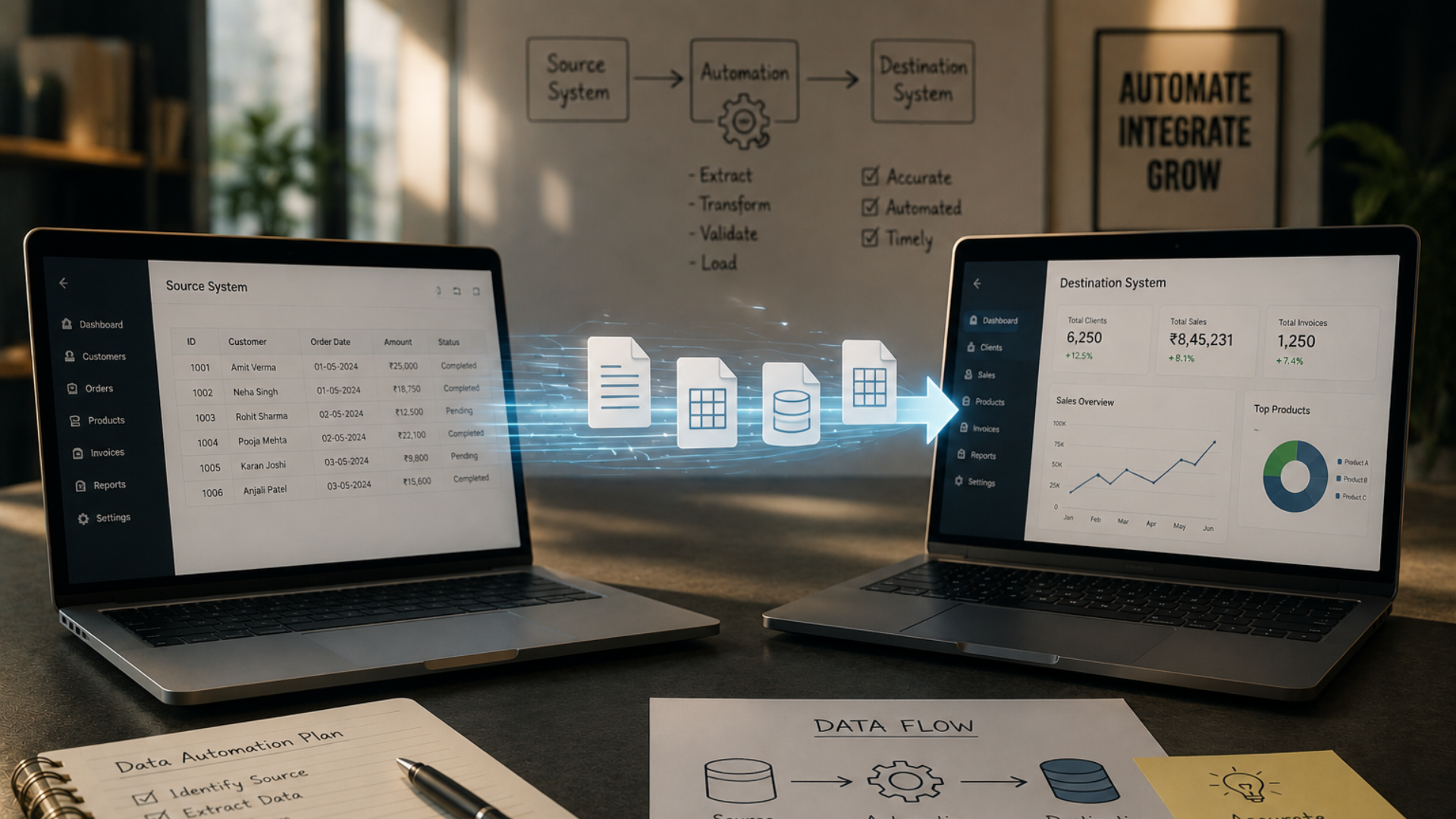
How to Automatically Move Data From One System to Another
Businesses rarely operate using just one software system. A company may use a CRM to manage customer information, accounting software to handle finances, an ecommerce platform to process orders, spreadsheets for internal records, and different applications for marketing, operations, or customer management. Each system may have a specific purpose, but the information inside those systems often needs to move from one place to another.
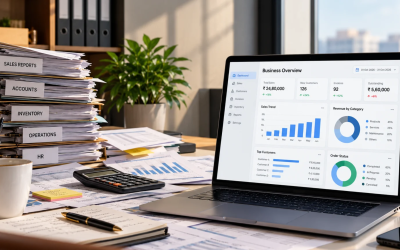
When employees have to manually transfer that information, the process can quickly become time-consuming. Someone may need to download information from one system, copy it into another, check whether the records match, and repeat the same process throughout the day. As the amount of data grows, this becomes increasingly difficult to manage consistently.
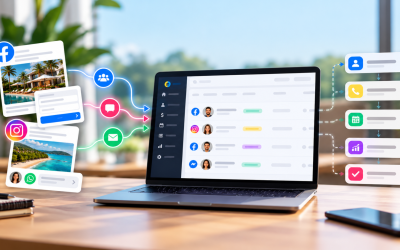
This is where automated data transfer becomes useful. Instead of depending on employees to manually move information between systems, businesses can create automated processes that transfer data when a specific event takes place. A new customer added to one system can trigger the creation of a record in another. A new order can send relevant information to another business application. A form submission can create or update a customer record without requiring someone to manually enter the information again.
The goal is not simply to move data faster. The bigger goal is to create a connected business environment where information reaches the right system without unnecessary manual intervention. Twister Automation helps businesses design and implement automation around their CRM, business processes, and integrations. Its services include CRM implementation, complex CRM integration, custom integration work, and connecting multiple data sources and channels based on business requirements.
Why Do Businesses Need to Move Data Between Systems?
Different software systems are built to solve different business problems. A CRM may be used by sales teams, accounting software may be used by finance teams, and an ecommerce platform may manage orders and customer purchases. These systems can work perfectly well individually, but challenges appear when information needs to be shared between them. Consider a simple example. A customer places an order through an ecommerce platform. The sales team may need that customer’s information in the CRM, while the finance team may need the order information in its accounting system. If employees have to manually transfer the information into each system, the same data is being handled multiple times.
This creates unnecessary work and introduces opportunities for mistakes. A customer name could be entered incorrectly, an email address could be missed, or an order value could be recorded incorrectly. In some cases, one system may be updated while another remains unchanged. As the business grows, these small issues can become larger operational problems. Automated data transfer provides a way to connect systems so information can move according to predefined business rules rather than depending entirely on employees to perform every update manually.
What Does It Mean to Automatically Move Data From One System to Another?
Automatically moving data between systems means creating a process where information is transferred from one application to another without requiring an employee to manually copy and paste the same information every time. The process generally starts with a specific event or trigger. This could be a new customer being created, an order being placed, a form being submitted, a record being updated, or another business event supported by the connected systems.
For example, a business could have a process where a new customer created in one application automatically creates a corresponding record in another application. The basic process might look like this:
New Customer Created → Customer Information Retrieved → Fields Matched → Record Created or Updated
Another business could have:
New Order → Order Information Retrieved → Relevant Data Sent to Another System → Record Updated
The exact process depends on the systems involved and the business requirements. The important part is that the business defines the rules and the automation carries out the required transfer when the relevant event occurs.
How Does Automated Data Transfer Work?
Automated data transfer can involve several technical components, but the business logic is relatively straightforward. One system acts as the source of information, another system receives the information, and an integration or automation process determines when and how that information should move.
- A Trigger Starts the Process: The first step is identifying what should start the automated process. This is usually an event that already happens during normal business operations. A trigger could be a new customer, a new order, a form submission, a status change, or another event supported by the systems involved. Once that event occurs, the automation can begin the next steps according to the rules that have been configured. For example, if a company wants every new CRM contact to also appear in another business system, the creation of the new contact can be used as the starting point for the process.
- The Required Data Is Retrieved: The automation then determines which information needs to be transferred. This could include a customer’s name, email address, phone number, company, order information, product details, transaction value, or another relevant field. Not every piece of information from the source system necessarily needs to be transferred. The business should identify which data the destination system actually requires and only transfer what is relevant to the intended process.
- The Data Is Mapped: Different systems often use different field names and data structures. One application might have a field called “Customer Name,” while another may separate the same information into “First Name” and “Last Name.” Data mapping establishes how information from one system corresponds to information in another. This is an important part of integration because simply connecting two systems does not guarantee that the data will automatically fit the structure expected by the receiving application.
- The Destination System Receives the Information: After the relevant data has been prepared and mapped, it can be sent to the destination system. Depending on the workflow, the process may create a new record, update an existing record, or perform another action supported by the connected application. The result is that the required information reaches the destination without an employee having to manually enter the same information again.
Common Examples of Moving Data Between Systems
Automated data transfer can be useful across many different business processes.
- Moving Website Leads Into a CRM: A business may collect inquiries through a website form while using a CRM to manage customer information. Without an integration, someone may need to monitor form submissions and manually create records in the CRM. An automated connection can allow relevant form information to be transferred into the CRM when a new submission is received. This gives the sales team access to the information within the system they already use for managing customers.
- Moving Ecommerce Orders Into Another Business System: An ecommerce business may process orders through one platform while using another system for financial, operational, or customer management activities. An automated process can transfer the relevant order information when an order is created or reaches a particular stage. This reduces the need to repeatedly copy order information between applications.
- Moving CRM Information Between Business Systems: A company may use more than one application across its sales and operational processes. When customer information is created or updated in one system, another system may need access to selected information. A workflow can be designed to transfer the required information according to the business’s rules and the capabilities of the connected systems. Twister specifically offers complex CRM integration services for businesses with multiple pipelines, third-party integrations, and more complicated requirements.
- Connecting Different Data Sources: Businesses may also need to bring information from different data sources into a connected process. Twister’s CRM implementation services describe connecting multiple data sources and channels after understanding the business’s target customers and processes.
Why Manual Data Transfer Becomes Difficult
Manual data transfer may seem manageable when a business is small. An employee may be able to copy information from one application to another several times a day without creating a major operational problem. The situation changes when the volume increases. A growing company may have hundreds or thousands of records moving through different systems. Employees may need to perform the same transfer repeatedly, check whether information has been updated, and make sure that the right teams have access to the latest data.
Manual processes can also create dependencies. If the person responsible for transferring information is unavailable, the process may be delayed. There is also the risk of inconsistent information. One system may contain updated customer details while another still contains older information. Automation can help reduce the amount of manual handling involved by allowing defined data-transfer processes to occur automatically when the relevant business event takes place.
How Twister Automation Helps Connect Business Systems
Twister Automation works with businesses on CRM implementation, integrations, and customized automation requirements. Its services specifically include complex CRM integration for businesses with multiple pipelines, third-party integrations, and more complicated automation requirements. This is important because businesses do not always need another completely separate software system. Sometimes the better solution is to make the systems they already use work together.
For example, Twister’s published integration offerings include connections involving platforms such as QuickBooks, Google Sheets, Zoom, Facebook Messenger, Instagram, Telegram, Shopify, WooCommerce, Zoho, and other tools. The exact availability and configuration depend on the specific integration and business requirements. Twister can therefore be positioned not simply as an automation provider, but as a technology partner that looks at how a company’s systems and processes need to work together.
Why Data Mapping Matters
Connecting two applications is only one part of the process. The information also needs to be structured correctly. Imagine that one system stores a customer’s information like this:
Full Name: Raj Patel
while another system requires:
First Name: Raj
Last Name: Patel
The automation needs to understand how the source information should correspond to the destination fields. The same issue can occur with phone numbers, addresses, product information, customer categories, order statuses, and other business data. Before automating a transfer, businesses should identify the required fields in both systems and determine how they correspond. Good data mapping helps create more reliable integrations and reduces the chance of incomplete or incorrectly structured records.
Should Data Move One Way or Both Ways?
Not every integration needs to move information in both directions. A one-way integration transfers information from one system to another. For example, a website form could send customer information into a CRM without the CRM sending information back to the website. A two-way integration allows information to move between systems based on defined rules. This can be useful when updates in one application need to be reflected in another.
However, two-way synchronization requires additional planning. Businesses need to determine which system should be considered the primary source for particular information and what should happen if the same record is changed in both places. The right approach depends on the business process and the capabilities of the systems being connected.
How to Handle Duplicate Records
Duplicate records are another important consideration when moving data automatically. Suppose the same customer already exists in the destination system. If the automation simply creates a new record every time information arrives, the business could end up with multiple records for the same customer. A better process can use an appropriate identifier to determine whether the record already exists.
Depending on the systems involved, that identifier might be a customer ID, email address, order number, or another unique value. The workflow can then determine whether it should create a new record or update an existing one. This is why integration planning should happen before automation is implemented. The business needs to define how records should be matched and updated rather than assuming that every incoming record is new.
What Happens When Something Goes Wrong?
Reliable automation also needs to account for exceptions. A connected application could be temporarily unavailable. A required field could be missing. An API could return an error. A third-party service could change how it handles a particular request. The automation should therefore have a way to handle situations where the expected transfer does not complete successfully.
Depending on the process, this might involve recording the error, notifying the relevant person, retrying the action, or allowing the issue to be reviewed manually. The specific approach depends on the systems and integration requirements. The important point is that successful automation is not only about designing the ideal path. It also requires thinking about what happens when the ideal path does not occur.
How to Decide Which Data Should Be Transferred
A common mistake is trying to transfer every available field from one system to another. More data is not necessarily better. The destination system may only require a small amount of information to perform its role. Sending unnecessary information can make the integration more complicated and harder to maintain.
Instead, start with the business purpose. Ask what the receiving system needs to know and why it needs that information. For example, a sales system may need customer contact details and sales information, while an accounting system may need billing and transaction details. Defining these requirements first makes it easier to create a focused and useful integration.
How to Start Automating Data Transfer
Businesses do not need to connect every system at the same time. A better approach is to begin with one process where manual data transfer creates a clear operational problem. Start by identifying the source system and the destination system. Then determine what event should trigger the transfer and which fields need to move between them. After that, review the data structure of both systems and establish the required field mapping. Consider how duplicates, updates, missing information, and errors should be handled.
The workflow can then be built and tested using controlled data before it becomes part of the regular business process. Once the first connection is working properly, the business can identify other systems and processes that may benefit from integration. This approach allows automation to grow around actual business requirements rather than trying to automate everything at once.
Why Connected Systems Matter as Businesses Grow
Businesses often add software gradually. A company might begin with spreadsheets, then adopt a CRM, accounting software, ecommerce tools, marketing platforms, HR systems, and other applications as its needs develop. There is nothing inherently wrong with using multiple tools. The problem appears when those tools operate as isolated systems. If information does not move between them, employees may become the connection between applications. They may download data from one platform, enter it into another, verify the information, and repeat the process.
As the business grows, this can become an inefficient way to operate. Connecting systems through automation allows businesses to create defined relationships between their applications. Instead of relying on employees to constantly transfer information, the systems can exchange the required data according to predefined rules. Twister’s own CRM implementation approach focuses on understanding business requirements and creating workflows and integrations around those processes rather than treating automation as a one-size-fits-all solution.
Why Choose Twister Automation for System Integration?
The challenge with business integration is rarely just connecting two applications. The bigger challenge is understanding what information needs to move, when it needs to move, where it needs to go, and what should happen afterward. Twister Automation approaches integration from the perspective of the business process.
Its services include CRM consultation, CRM implementation, CRM training, complex CRM integration, custom integration, and automation. Twister states that its implementation process begins by understanding business requirements before developing workflows around the processes that need to be supported. This approach is particularly useful when a business has multiple systems that need to work together or when standard integrations do not completely address its requirements. Rather than asking employees to adapt their daily work around disconnected software, the objective is to build connections around the way the business actually operates.
Wrapping It Up
Automatically moving data from one system to another can help businesses reduce manual data handling and create stronger connections between the software they already use. Instead of asking employees to repeatedly copy information between applications, businesses can create automated processes that transfer relevant data when specific events occur. The process requires more than simply connecting two systems. Businesses need to identify the right trigger, determine which information should be transferred, map fields between applications, decide how records should be created or updated, and plan for duplicates, errors, and future changes.
When these elements are properly considered, automation can make information available across the business without requiring employees to constantly act as the bridge between disconnected applications. Twister Automation helps businesses design and implement CRM integrations, custom integrations, and automated workflows based on their specific business requirements. Its approach starts with understanding the existing process and then determining how different data sources, systems, and business activities can work together more effectively. For a growing business, the goal should not always be to replace every tool currently being used. In many cases, the better question is whether those tools can be connected and made to work together.
When the right systems are connected in the right way, information can reach the people and applications that need it without unnecessary manual transfer. That creates a more connected operational environment and gives teams more time to focus on using business information rather than repeatedly moving it from one system to another.