

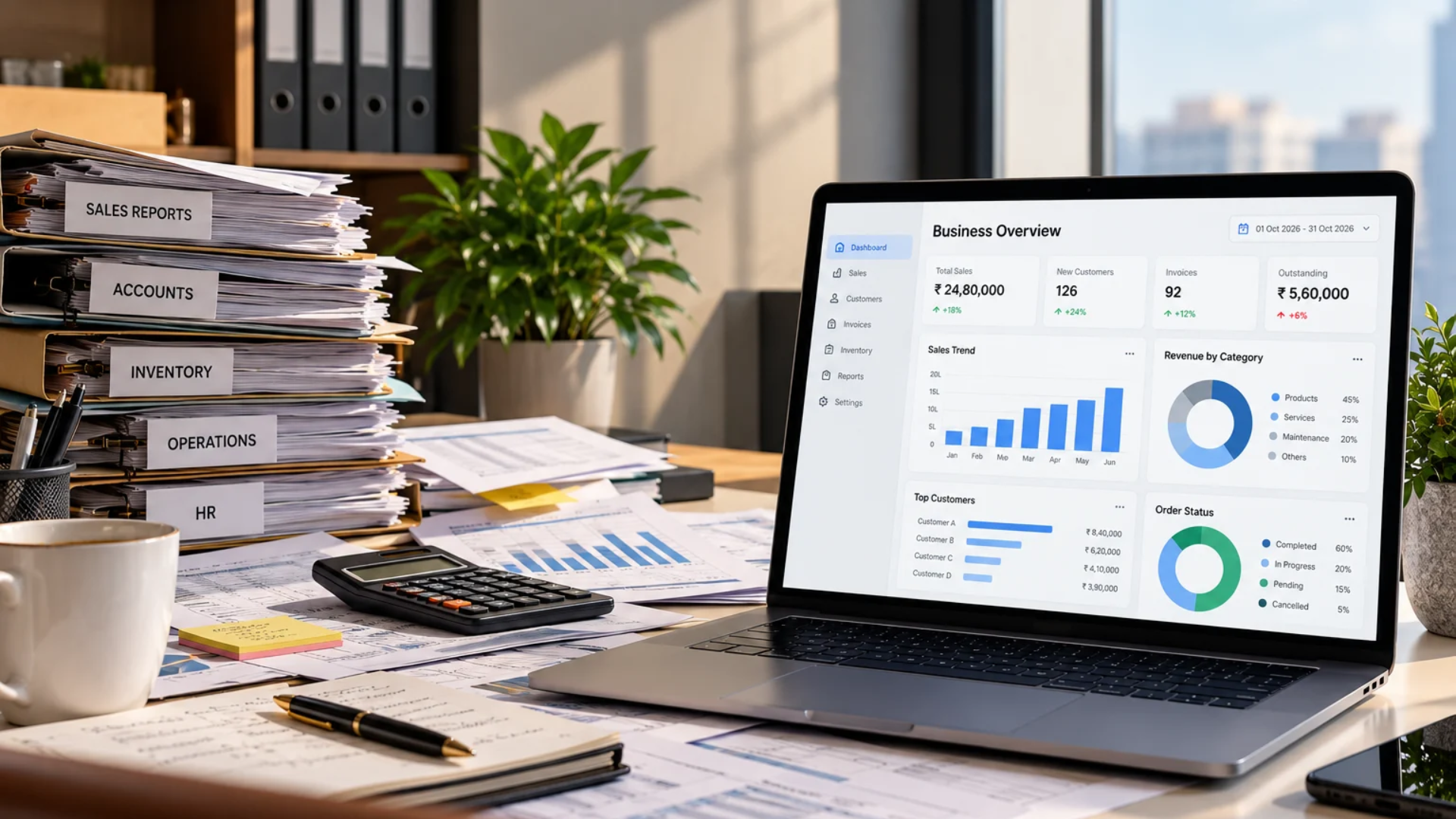
Why Does Preparing a Simple Business Report Take So Much Time?
Preparing a business report should be a straightforward task. Whether it is a monthly sales summary, an expense report, a customer performance report, or an overview of business operations, the information is usually already available somewhere within the organization. Yet, when management requests a report, employees often spend hours collecting figures, checking spreadsheets, comparing records, and organizing information before they can present it.
This is a familiar situation for many growing businesses. A sales manager may need to gather information from the CRM, the accounts team may have to verify invoices and payments, and the operations department may need to provide updates from its own records. Even when every department uses software to manage its work, preparing a single report can involve several people and multiple rounds of verification. The difficulty is rarely the report itself. It is the process required to bring the information together.
As businesses grow, reporting becomes more demanding because the amount of information increases, different departments develop their own methods of maintaining records, and management expects more frequent updates. What once took a few minutes can gradually become a time-consuming administrative activity. This is where business reporting automation becomes valuable. By organizing how information is collected, processed, and presented, businesses can reduce repetitive reporting tasks and make important information easier to access.
However, automating reports does not necessarily mean purchasing another software application or replacing the systems a business already uses. In many cases, the more effective approach is to understand why reporting takes so long and improve the processes responsible for those delays.
Why Simple Business Reports Often Take Hours to Prepare
A business report may contain only a few figures, but producing those figures can involve considerably more work than expected. Consider a business owner who asks the sales team for a report showing the total enquiries received, quotations shared, orders confirmed, and revenue generated during the previous month. The request sounds simple because it involves information the business already maintains. However, the sales team may record enquiries in a CRM, maintain quotation details in a spreadsheet, and depend on accounting software to confirm invoiced amounts. Some customer conversations may also contain important updates that have not yet been entered into the relevant system.
Before preparing the report, someone must collect information from these sources, determine which records belong to the reporting period, remove duplicate entries, and verify that the figures are consistent. If the numbers do not match, the team must investigate the differences before presenting the final report. This explains why reporting can become time-consuming even when businesses have invested in digital tools. Software may help individual departments manage their work, but it does not automatically guarantee that information is organized and ready for reporting. The time required depends on how the business records information, how consistently employees update it, and how easily the relevant data can be accessed.
Where Businesses Lose Time During Report Preparation
Understanding the causes of reporting delays is the first step toward improving the process. In many organizations, time is lost across several smaller activities rather than one obvious problem.
- Collecting Information From Different Sources: Businesses commonly use different applications for sales, accounting, inventory, human resources, and daily operations. Each system maintains information relevant to its purpose, but management reports often require data from more than one department. For example, a monthly business performance report may require sales figures from a CRM, invoice details from accounting software, and order fulfilment information from an inventory or operations system. When employees must access each application separately, export records, and combine the information manually, even routine reporting can take considerable time. The difficulty increases when different departments maintain additional spreadsheets or informal records outside their primary software systems.
- Cleaning and Correcting Data: Collecting information is only part of the work. Employees must also check whether the information is accurate and suitable for the report. A customer may appear under slightly different names in separate systems, an invoice may have been recorded against the wrong period, or a sales opportunity may still show an outdated status. These inconsistencies require employees to review individual records and make corrections before using the data. When data quality problems occur repeatedly, report preparation becomes an ongoing exercise in identifying and fixing errors rather than simply presenting business information.
- Combining Multiple Spreadsheets: Spreadsheets remain useful for organizing and analyzing information. However, problems arise when several employees maintain separate versions of the same report or when information is repeatedly copied between files. A department may prepare its own weekly report, which is then combined with other departmental reports to create a monthly management summary. During this process, employees may need to adjust formulas, match columns, remove duplicate entries, and verify totals. Changes to the source information can require the entire process to be repeated. The issue is not that spreadsheets are unsuitable for reporting. It is that manual spreadsheet consolidation can become difficult to manage when reporting requirements become more complex.
- Waiting for Departmental Updates: A report may also be delayed because the person preparing it does not have access to all the required information. For example, the sales department may need payment confirmation from accounts, while management may be waiting for order status updates from operations. If these updates are requested through emails, calls, or messages, report preparation depends on how quickly each department responds. Even when individual employees complete their tasks efficiently, the overall reporting process can be delayed by dependencies between teams.
- Verifying Figures Before Submission: Business reports are often used to make financial, operational, and strategic decisions. Employees therefore need confidence that the information is accurate before sharing it with management. When reports are prepared manually, verification may involve comparing totals with source records, reviewing calculations, and checking whether the reporting period has been applied consistently. This is necessary work, but it becomes inefficient when the same checks must be performed from the beginning every week or month.
The Hidden Problems With Manual Business Reporting
The most visible problem with manual reporting is the amount of time employees spend preparing reports. However, the consequences can extend beyond administrative workload. One important concern is the delay between business activity and management visibility. If a report is prepared only at the end of the month and requires several additional days to complete, management may be reviewing information that no longer reflects the latest situation. For example, a business may discover that outstanding payments have increased or that a particular product category has experienced declining sales. If this information becomes visible only after the reporting cycle is completed, the business may have fewer opportunities to respond promptly.
Manual reporting can also introduce errors. Copying information between spreadsheets, using outdated files, applying inconsistent formulas, or overlooking records can affect the accuracy of the final figures. Another challenge is dependence on particular employees. In some businesses, only one person fully understands how a report is prepared, which files are required, and how the calculations work. If that employee is unavailable, report preparation may be delayed because the process has not been documented or standardized. Over time, these issues can make reporting less reliable and more difficult to maintain as the business expands.
Why Different Departments Often Report Different Numbers
One of the most frustrating reporting situations occurs when two departments present different figures for what appears to be the same business activity. For example, the sales department may report that the business generated ₹20 lakh in sales during a month, while the accounts department shows ₹17 lakh in invoiced revenue. At first glance, the figures may appear inconsistent. However, they may represent different stages of the business process. The sales team might be reporting confirmed orders, while the accounts team is reporting invoices issued during the same period. Some confirmed orders may not yet have been invoiced, while invoices issued during the month may relate to orders confirmed earlier.
Other differences can arise from taxes, discounts, returns, cancellations, reporting dates, or inconsistent record updates. This illustrates an important principle of business reporting: accurate reports require consistent definitions, not merely connected software. Before automating a report, businesses need to define what each metric represents and which system should be considered the authoritative source for that information. For example, sales opportunities may be measured through the CRM, while invoiced revenue and payment collections may be measured through accounting software. Once these definitions are established, reports can be designed to present information consistently and explain differences between related metrics. Without this foundation, automation may produce reports faster without resolving the confusion surrounding the numbers.
What Is Business Reporting Automation?
Business reporting automation is the use of software, configured workflows, and appropriate data connections to reduce the manual effort involved in preparing and distributing business reports. Instead of repeatedly collecting information, copying it into spreadsheets, and performing the same calculations, businesses can configure systems to retrieve relevant data, apply defined reporting rules, and present the results in a consistent format. Depending on the business’s requirements, automated reporting may involve scheduled reports, dashboards, calculated metrics, notifications, or data synchronization between systems.
For example, a business may configure its CRM to generate a weekly sales performance report showing enquiries received, opportunities created, deals closed, and pipeline activity. An accounting system may provide scheduled summaries of invoices, outstanding payments, and expenses. A more complex reporting process may require information from multiple applications to be consolidated into a separate reporting environment. The objective is not necessarily to eliminate every manual step. Certain reports may still require review, commentary, or approval before they are shared. Instead, automation should reduce repetitive activities while preserving the controls needed to maintain accuracy.
How Business Reporting Automation Works
The implementation of reporting automation depends on the systems a business uses and the information it needs. However, most effective reporting processes follow a similar structure.
- Identifying the Information Required: The process begins by understanding what management wants to measure. A business may need to monitor monthly revenue, outstanding invoices, sales conversion rates, inventory movement, employee attendance, or project performance. Each metric should have a clear definition, reporting period, and intended purpose. For example, a report measuring sales performance may need to distinguish between enquiries, qualified opportunities, confirmed orders, invoiced revenue, and collected payments. Defining these requirements before configuring automation helps ensure that the final report answers the questions management actually needs answered.
- Identifying the Data Sources: Once the reporting requirements are clear, the business must identify where the relevant information is stored. Some reports may use information from a single application, while others require data from multiple systems. The business should also determine whether the required information is consistently recorded and whether the relevant software provides suitable reporting, export, or integration capabilities. This assessment is important because not every system supports the same level of automated data access.
- Standardizing Data and Calculations: Before information is combined, businesses need consistent rules for handling dates, currencies, statuses, identifiers, and calculations. For example, a report should clearly define whether revenue is calculated before or after discounts, how cancelled orders are treated, and which date determines the reporting period. These rules reduce ambiguity and help prevent different departments from interpreting the same figures differently.
- Configuring Automated Workflows: Once the reporting requirements and data structure are established, suitable automation can be configured. Depending on the available tools, this may involve native reporting features, scheduled exports, data synchronization, workflow automation, or API-based connections. The appropriate method depends on the complexity of the report and the capabilities of the existing systems.
- Testing and Reviewing the Output: Automated reports should be tested against reliable source records before they are used for important decisions. Testing helps identify missing data, incorrect calculations, duplicate records, and differences in how systems interpret information. Businesses should also establish procedures for reviewing unusual results and handling situations where a data connection or reporting process fails. A properly implemented automated report should be easier to maintain, but it should not operate without appropriate monitoring and accountability.
What Types of Business Reports Can Be Automated?
Different departments have different reporting requirements, and many recurring reports can benefit from automation.
- Sales Performance Reports: Sales reports help businesses understand how enquiries, opportunities, and confirmed sales are progressing. Depending on the CRM and reporting setup, businesses may track new enquiries, sales pipeline activity, deal conversion, salesperson performance, and revenue-related metrics. Automating these reports can reduce the need for sales managers to request updates from individual team members and manually consolidate their responses. It can also make reporting more consistent because the same definitions and calculation methods are applied across reporting periods.
- Financial and Accounting Reports: Accounting systems commonly provide reports relating to invoices, expenses, outstanding receivables, and other financial activities. Businesses may be able to schedule certain reports or configure additional workflows for management summaries and notifications. For example, a finance team may need a recurring overview of overdue invoices grouped by customer or payment ageing. The exact automation possibilities depend on the accounting software and the level of detail required. Financial reports should continue to follow appropriate accounting policies, verification procedures, and access controls.
- Inventory and Order Reports: Retailers, distributors, wholesalers, and manufacturers often need visibility into stock movement, order processing, and fulfilment. Reports may include inventory levels, purchase and sales activity, pending orders, and product movement. When relevant information is maintained consistently in inventory or ERP systems, recurring reporting can help managers review operational performance without collecting figures manually from different departments.
- Employee and HR Reports: Human resource teams may need reports covering attendance, leave balances, employee records, or payroll-related information. Where supported by the HR and payroll systems, recurring reports can be generated using defined rules and appropriate access permissions. Because employee information can be sensitive, reporting workflows should be designed to ensure that only authorized users can access relevant records.
- Management Performance Reports: Business owners and senior managers often need a broader view that combines information from several departments. A management report may include sales performance, revenue, receivables, order fulfilment, and operational indicators. These reports can be particularly time-consuming when the information comes from different applications. A carefully designed reporting process can consolidate relevant metrics into a more consistent view while maintaining clear definitions and identifying the source of each figure.
How CRM, ERP, and Accounting Systems Support Reporting
Many businesses already use software that contains reporting capabilities, but those capabilities may not be fully configured or used effectively.
- CRM systems typically maintain information about customers, enquiries, opportunities, sales activities, and pipeline stages. This information can support reports related to sales performance and customer engagement.
- ERP systems may manage operational information such as procurement, inventory, order processing, and other business functions. Depending on the modules used, they can provide visibility into activities across multiple departments.
- Accounting applications maintain financial records and support reports relating to invoices, payments, expenses, and other financial transactions.
Each system serves a different operational purpose, and the reporting capabilities available will depend on the particular software and subscription or implementation. The challenge arises when management needs information that crosses the boundaries of these systems.
For example, a business may want to compare the value of confirmed sales opportunities with invoiced revenue and actual payment collections. Producing that report may require clearly defined relationships between CRM and accounting records, as well as consistent rules for matching customers, orders, and invoices. In some cases, built-in reporting tools may be sufficient. In others, businesses may need additional configuration, integration, or reporting infrastructure. The best solution depends on the reporting requirement rather than the number of software applications involved.
How to Automate Business Reports Without Replacing Existing Software
Businesses sometimes assume that improving reporting requires moving all departments to a completely new software platform. While system replacement may be appropriate in certain situations, it is not always necessary. A more practical starting point is to evaluate the tools the business already uses and identify which reporting capabilities are available. For example, an existing CRM may support custom reports and scheduled delivery, while accounting software may already provide financial summaries that can be configured according to management requirements.
If the required information is available within these applications, improving their configuration may be more efficient than introducing another system. When reports require information from multiple sources, businesses can evaluate supported integration methods or dedicated reporting tools. However, connecting applications should not be treated as the first step. Businesses need to confirm that the underlying records are accurate and that the reporting requirements are clearly defined. If employees use inconsistent sales stages, incomplete customer records, or different definitions for the same metric, connecting those systems will not automatically produce reliable reports. The most effective approach is to improve the reporting process first and select the technology required to support it.
Scheduled Reports vs Real-Time Dashboards: Which Is Better?
Businesses often consider scheduled reports and real-time dashboards as alternative ways to monitor performance, but they serve different purposes. A scheduled report provides information at defined intervals, such as daily, weekly, or monthly. It is useful when management needs a consistent summary of activity over a particular period. For example, a weekly sales report may show how many opportunities were created, how many deals were closed, and how the sales pipeline changed during the week.
A dashboard provides a visual view of selected metrics and may update automatically according to the capabilities and refresh schedule of the underlying systems. Dashboards can be useful when managers need frequent visibility into ongoing activities, such as open sales opportunities, pending orders, or outstanding customer issues. However, a dashboard should not automatically be described as real-time. Some systems refresh data periodically, while others depend on scheduled synchronization or manual updates. Businesses should choose the reporting method according to how frequently decisions need to be made and how current the information must be. In many situations, a combination works well. Dashboards provide ongoing visibility, while scheduled reports offer structured summaries for review and discussion.
How to Know Whether Your Reporting Process Needs Automation
Not every report requires a complex automation solution. However, certain patterns indicate that the current process may be consuming unnecessary time. One indication is that employees repeatedly perform the same reporting activities. If the team exports similar information, applies the same calculations, and prepares the same format every week, there may be an opportunity to automate part of the process. Another sign is frequent disagreement over figures. When departments regularly spend time explaining why their numbers differ, the business may need clearer reporting definitions and better data management.
Reporting delays are another concern. If management cannot receive basic performance information without waiting for several departments to provide updates, the process may be overly dependent on manual coordination. Businesses should also consider whether reports can be prepared reliably when the usual employee is unavailable. If the process depends heavily on one person’s knowledge of spreadsheets, formulas, or data sources, documenting and standardizing the workflow may be valuable even before automation is introduced. The objective is to identify reporting activities that are repetitive, time-consuming, and suitable for a consistent process.
Common Mistakes Businesses Make When Automating Reports
Reporting automation can reduce manual work, but poorly planned implementation can introduce new problems. One common mistake is automating a report before defining what it should measure. If departments use different definitions for sales, revenue, or completed orders, the automated output may continue to create confusion. Another mistake is assuming that information stored in business software is automatically accurate. Incomplete records, outdated statuses, duplicate entries, and inconsistent data formats can affect reporting quality.
Businesses may also attempt to automate every report at once without considering which reports are actually useful. This can increase implementation complexity while producing dashboards and summaries that employees rarely review. Another concern is insufficient testing. Automated calculations and data connections should be validated before management begins relying on them.
Security and access control are equally important. A reporting system may combine information from sales, finance, HR, and operations, but that does not mean every employee should have access to all of it. Finally, businesses should avoid creating automation that no one is responsible for maintaining. Reporting requirements, software configurations, and business processes change over time, and automated workflows may need periodic review. Successful reporting automation requires both technical implementation and ongoing process ownership.
How Twister Automation Helps Businesses Improve Reporting Processes
Improving business reporting often requires more than configuring a dashboard or scheduling a spreadsheet. Businesses need to understand how information moves between departments, where reporting delays occur, which records can be trusted, and what management actually needs to measure. Twister Automation works with businesses on CRM, ERP, and workflow automation requirements, helping them evaluate existing processes and identify opportunities to reduce repetitive manual work. For reporting-related challenges, this can involve reviewing how information is recorded across business applications, identifying unnecessary manual steps, and evaluating suitable reporting or integration approaches.
Depending on the business’s systems and requirements, the solution may involve configuring existing reporting features, improving data management practices, connecting supported applications, or implementing workflows that make information easier to collect and organize. For example, a business that manually combines sales and accounting information may benefit from a structured reporting process with consistent definitions and suitable data connections.
Another business may already have the necessary information in its CRM but need better reporting configuration and more consistent record updates. Rather than introducing technology without first understanding the problem, the focus is on selecting an approach that fits the organization’s existing software, operational requirements, and reporting objectives. This helps businesses improve reporting efficiency while maintaining the accuracy, visibility, and controls needed for reliable decision-making.
Wrapping It Up
Preparing a simple business report can become surprisingly time-consuming when information is spread across different applications, departments maintain separate records, and employees must manually collect and verify figures. Although the final report may contain only a few key metrics, the process behind those numbers can involve data collection, spreadsheet consolidation, calculations, departmental coordination, and repeated checks. Business reporting automation helps address these challenges by reducing repetitive activities and creating more consistent methods for preparing and presenting information.
However, effective automation begins with understanding the reporting process. Businesses need clear metric definitions, reliable data, appropriate system capabilities, and well-designed workflows before they can expect meaningful improvements. For many organizations, the necessary information already exists within their CRM, ERP, accounting, or other business applications. The opportunity lies in making that information easier to access, interpret, and use. By improving reporting processes and introducing automation where it provides practical value, businesses can spend less time preparing routine reports and more time understanding what those reports reveal about their performance.