
How to Connect WhatsApp Business With ChatGPT for Automated Customer Replies
Customers often contact businesses through WhatsApp because they expect quick and convenient responses. Whether they are asking about product availability, service details, pricing, appointment bookings, or an existing order, they usually want an answer without waiting too long. For businesses receiving a large number of inquiries every day, responding to every message manually can become difficult. Employees may spend considerable time answering repetitive questions, while customers with more specific requirements may have to wait for assistance.
Traditional WhatsApp automation can help businesses respond to common questions using predefined messages. However, customers do not always ask questions in the same way. Some messages contain multiple questions, others are incomplete, and many require responses based on the context of the conversation. This is where connecting WhatsApp Business with ChatGPT-powered AI can be useful. By integrating the WhatsApp Business Platform with OpenAI’s API, businesses can develop an AI-powered messaging system that understands customer questions, generates relevant responses, and works alongside existing business applications. In this article, we’ll explain how WhatsApp Business and ChatGPT integration works, what is required to set it up, and how businesses can use it to automate customer conversations.
Can You Connect ChatGPT With WhatsApp Business?
Yes, businesses can connect ChatGPT-powered AI with WhatsApp using APIs and an integration platform or custom application. However, this is not a feature that can simply be enabled inside the regular WhatsApp Business app. A typical integration connects the WhatsApp Business Platform with an OpenAI model through the OpenAI API. An automation platform, middleware service, or custom backend manages communication between these systems.
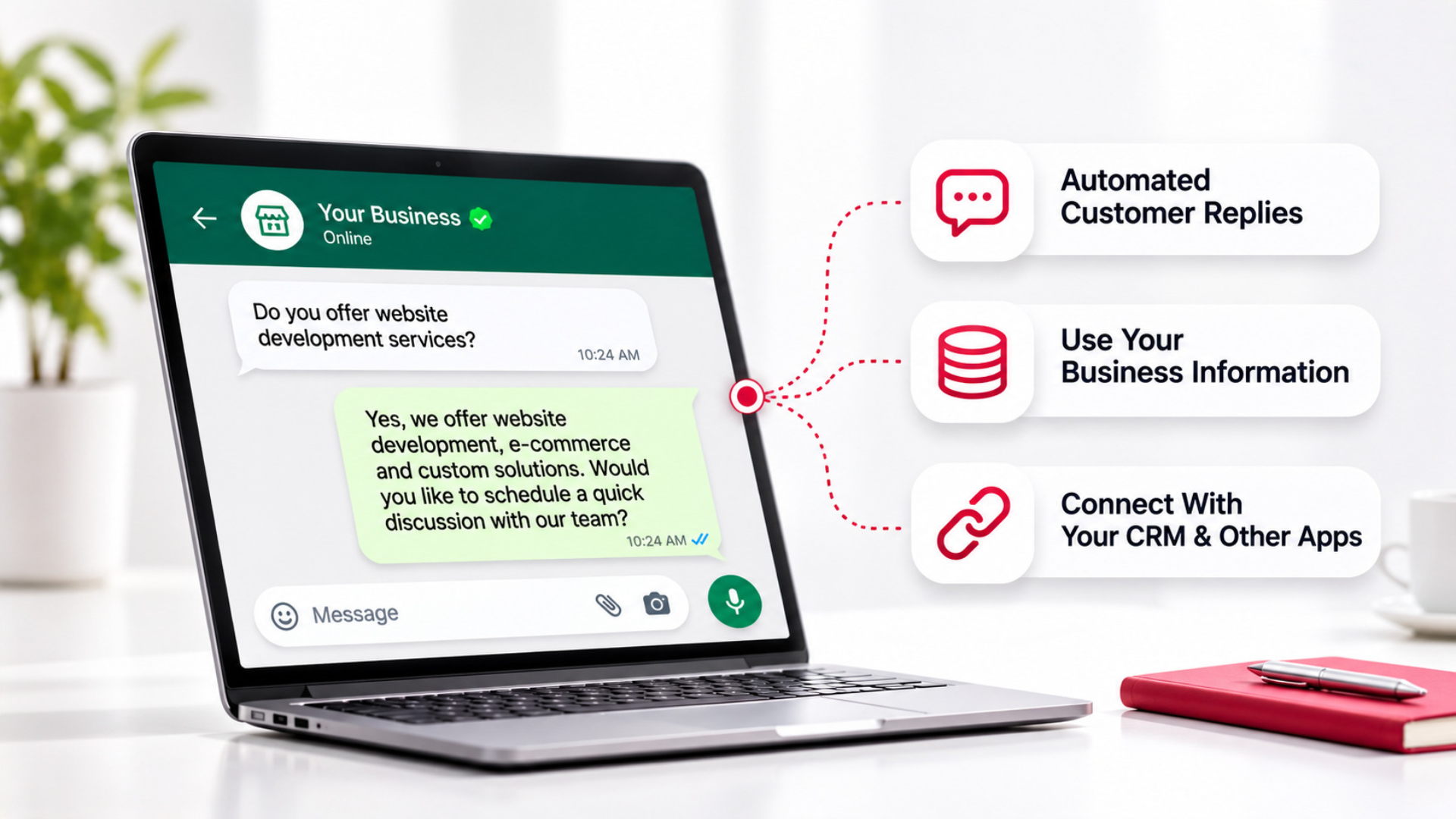
When a customer sends a WhatsApp message, the integration receives the message, processes the information, sends a request to the AI model, and delivers the generated response back to the customer. Businesses can also connect the system with their CRM, product database, booking software, or customer support application to provide more useful responses. The available capabilities depend on how the integration is configured and which business systems are connected.
How Does WhatsApp Business and ChatGPT Integration Work?
The integration follows a communication process between WhatsApp, the automation system, and the AI model.
1. A Customer Sends a WhatsApp Message: The process begins when someone contacts the business through WhatsApp. For example, a customer might ask: “Do you have appointments available this Saturday?” The WhatsApp Business Platform receives the message and sends an event to the configured webhook.
2. The Integration Processes the Message: The integration identifies the incoming message and prepares the information required for the AI model. Depending on the configuration, this may include the customer’s question, relevant conversation history, business instructions, and information retrieved from connected systems. The integration can also determine whether the inquiry should receive an automated response or be transferred to a team member.
3. ChatGPT-Powered AI Generates a Response: The integration sends the prepared request to an OpenAI model through the API. The model generates a response based on the information provided. For example, if the business has supplied its operating hours and appointment policies, the AI can explain when appointments are normally offered. However, checking actual appointment availability requires access to a connected booking system. The AI should not invent available time slots.
4. The Response Is Sent Through WhatsApp: Once the response is generated, the integration sends it back to the customer through the WhatsApp Business Platform. The conversation can continue as the customer sends additional messages. Businesses can also configure rules to transfer conversations to employees when customers request human assistance or when the AI cannot provide a reliable answer.
What Do You Need to Connect ChatGPT With WhatsApp Business?
Before implementing the integration, businesses need to understand the technical requirements.
- WhatsApp Business Platform Access: The integration requires access to the WhatsApp Business Platform through Meta’s Cloud API or a compatible solution provider. This provides the API endpoints and webhook capabilities required to receive and send messages. Businesses must also follow Meta’s WhatsApp Business messaging policies. Generally, businesses can send free-form responses within the 24-hour customer service window following a customer’s latest message. Outside that window, business-initiated messages require approved message templates and must comply with applicable opt-in and messaging requirements.
- OpenAI API Access: Businesses need access to OpenAI’s API to generate AI-powered responses. OpenAI API usage is billed separately from ChatGPT subscriptions. The cost depends on the selected model and the amount of API usage. API credentials should be stored securely in the integration environment rather than exposed in website code or customer-facing applications.
- An Automation Platform or Custom Backend: An integration layer connects WhatsApp with the AI model. Depending on the requirements, businesses can use automation platforms such as Make or develop a custom application. This layer manages incoming webhooks, API requests, response delivery, conversation context, error management, and connections with other applications.
- Business Information for Accurate Responses: An AI assistant also needs reliable information about the business. This may include service descriptions, product details, frequently asked questions, working hours, booking policies, and customer support procedures. Businesses can provide this information through structured instructions, approved documents, knowledge bases, or connected databases. Without reliable business information, an AI model may generate answers that sound convincing but are incorrect.
How to Set Up Automated WhatsApp Replies Using ChatGPT
The implementation process depends on the selected platform and the complexity of the business requirements.
Step 1: Configure WhatsApp Business API Access: The first step is establishing access to the WhatsApp Business Platform. This involves configuring the required Meta business assets, setting up the phone number, obtaining the necessary credentials, and preparing the webhook connection. The integration must be able to receive incoming customer messages and send responses through the appropriate API endpoints.
Step 2: Connect WhatsApp to the Automation System: Once WhatsApp API access is available, the next step is connecting it with the automation platform or backend. The system receives webhook events whenever customers send messages. It should identify relevant incoming messages, avoid processing duplicate events, and prevent unnecessary responses to message-status notifications. This is particularly important when multiple customer conversations are taking place simultaneously.
Step 3: Integrate the OpenAI API: The automation system is then connected with OpenAI’s API. When a customer sends a message, the integration prepares a request containing the customer’s question and relevant instructions. These instructions can define the assistant’s responsibilities, preferred response style, business information, and limitations. For example, a business might configure the assistant to answer service questions, explain operating hours, and direct customers to an employee for quotations requiring manual review.
Step 4: Add Business Knowledge and Conversation Context: A useful AI assistant needs more than access to a language model. It should have access to the information required to answer customer questions accurately. Businesses can configure the integration to retrieve relevant information from approved knowledge sources or connected applications. Conversation context can also be maintained so the assistant understands follow-up questions. For example, if a customer first asks about website development and then asks, “How long does it take?”, the assistant should understand which service the customer is discussing. The integration must manage this context appropriately rather than assuming the AI automatically remembers every previous conversation.
Step 5: Configure Automated Replies and Human Support: Not every inquiry should be answered entirely by AI. Businesses should establish rules defining which messages can be answered automatically and when an employee should take over. A customer asking about general service information may receive an automated response. A customer reporting a payment dispute, requesting a special quotation, or raising a sensitive complaint may need human assistance. The system can be configured to identify these situations and route the conversation to the appropriate person.
Step 6: Test the Integration Before Launch: Before activating automated replies for customers, businesses should test the system with different types of messages. Testing should include straightforward questions, follow-up messages, spelling mistakes, unsupported requests, missing information, and situations requiring human assistance. The integration should also be tested for API failures, duplicate messages, delayed responses, and unexpected webhook events. Monitoring after launch helps businesses identify issues and improve the quality of customer conversations.
What Can Businesses Automate With WhatsApp and ChatGPT?
The practical applications depend on the business and its connected software.
- Answering Frequently Asked Questions: Businesses regularly receive questions about working hours, locations, services, policies, and general product information. An AI-powered WhatsApp assistant can respond using approved business information without requiring an employee to type the same answer repeatedly.
- Collecting Customer Requirements: A customer contacting a service provider may not know exactly which information is needed to receive a quotation. An AI assistant can ask relevant questions, collect the required details, and prepare the inquiry for the sales team. For example, a website development company might collect the customer’s business type, website requirements, preferred features, and expected timeline. The information can then be transferred to a connected CRM.
- Responding to Product Inquiries: E-commerce businesses can use AI to help customers understand product categories, specifications, or purchasing policies. When connected to a product database, the assistant can retrieve current product information. Without that connection, it should not claim that an item is in stock or provide unverified pricing.
- Supporting Appointment Inquiries: Service businesses can answer questions about appointment procedures, service durations, and booking policies. If the integration is connected to a booking application, it may also retrieve available time slots or create appointments through the appropriate APIs. This requires additional integration beyond the basic WhatsApp and OpenAI connection.
- Providing Order and Service Updates: When connected to an order management system or CRM, an AI assistant can help customers retrieve relevant information about existing orders or service requests. Customer verification and access controls are important before sharing account-specific information.
Can ChatGPT Access Your CRM Through WhatsApp?
Yes, but only when the integration is specifically configured to connect the systems. Connecting WhatsApp with OpenAI does not automatically give the AI access to CRM records. A separate integration is required to retrieve or update information in applications such as Zoho CRM or other compatible systems. For example, a business can configure a workflow where a customer sends a WhatsApp inquiry, the AI collects the required information, and the integration creates a new lead in the CRM. The system can also check existing records, assign inquiries to sales representatives, or update customer information where appropriate. These actions should use defined API operations and validation rules. The AI should not receive unrestricted permission to modify business records.
How Much Does WhatsApp and ChatGPT Integration Cost?
The cost of integrating WhatsApp Business with ChatGPT depends on the services involved and the complexity of the implementation. Businesses should consider three main cost components.
- WhatsApp Business Platform Messaging Charges: WhatsApp Business Platform pricing depends on Meta’s applicable messaging rates, message categories, recipient markets, and other pricing conditions. Some messages may qualify for free delivery under Meta’s current rules, while others may incur charges. Businesses using a solution provider may also have additional provider-specific fees.
- OpenAI API Usage: OpenAI charges for API usage based on the selected model and applicable usage rates. The total cost depends on factors such as the number of customer messages, the amount of conversation context sent to the model, and the length of generated responses. A business receiving a high volume of customer inquiries should consider these costs when designing the automation.
- Integration Development and Maintenance: Businesses may also incur expenses for automation platform subscriptions, custom API development, hosting, monitoring, and ongoing maintenance. A basic integration that answers frequently asked questions will generally have different implementation requirements from a system connected to multiple CRMs, databases, and customer service applications. The overall cost should therefore be evaluated based on the complete workflow rather than only the AI model’s pricing.
What Are the Limitations of ChatGPT-Powered WhatsApp Automation?
AI-powered messaging can improve response availability, but businesses should understand its limitations before implementation.
- AI responses are not automatically accurate. A language model can generate incorrect information, particularly when business knowledge is missing or outdated. Approved information sources and response safeguards are essential.
- Live business data requires additional connections. Product stock, order status, appointment availability, and customer balances cannot be verified unless the integration retrieves that information from the relevant system.
- WhatsApp messaging rules still apply. AI-generated responses do not bypass Meta’s messaging policies. Businesses must follow applicable customer service window, template, and opt-in requirements.
- Customer information requires careful protection. Businesses should consider what personal information is shared with connected services, how conversation history is stored, and which employees or applications can access the data.
- Human assistance remains important. Complaints, unusual requests, sensitive matters, and decisions requiring professional judgment may need an employee rather than an automated response.
A reliable implementation accounts for these limitations instead of expecting the AI model to manage every situation independently.
Should You Use an Automation Platform or Custom API Integration?
Both approaches can work, depending on the business requirements. An automation platform such as Make can be useful for connecting supported applications and building workflows with relatively straightforward conditions. For example, a business may want to receive a WhatsApp message, send it to an AI model, and return the response.
A custom API integration may be more appropriate when the business needs complex conversation management, multiple connected databases, detailed permission controls, custom escalation rules, or specific operational requirements. The choice depends on the existing software, message volume, security requirements, maintenance expectations, and level of customization needed. Businesses should evaluate the complete workflow rather than selecting a platform based only on the initial setup process.
How Twister Automation Can Help With WhatsApp and ChatGPT Integration
Connecting WhatsApp with an AI model is only one part of building a useful customer communication system. The integration also needs to work with the business’s existing processes, customer information, and internal applications. At Twister Automation, we help businesses plan and implement automation workflows that connect communication platforms, CRM systems, and other business applications.
For a WhatsApp and ChatGPT integration project, this can include identifying suitable customer inquiries for automation, planning the API connections, configuring message workflows, connecting relevant business information, and establishing conditions for transferring conversations to employees. Where required, the integration can also be designed to work with CRM records, lead management processes, or other supported software. The objective is to build an automation system that fits how the business actually operates, rather than introducing an AI chatbot without considering the processes around it.
Wrapping It Up
Connecting WhatsApp Business with ChatGPT allows businesses to build automated conversations that go beyond fixed replies and keyword-based responses. With the right API integration, an AI assistant can answer common questions, collect customer requirements, maintain relevant conversation context, and work with connected business applications. However, the effectiveness of the system depends on its configuration. Reliable business information, secure API connections, WhatsApp policy compliance, testing, and human support are all important parts of implementation. If your business is considering AI-powered WhatsApp communication, Twister Automation can help you evaluate the requirements and develop an integration that works with your existing business systems.